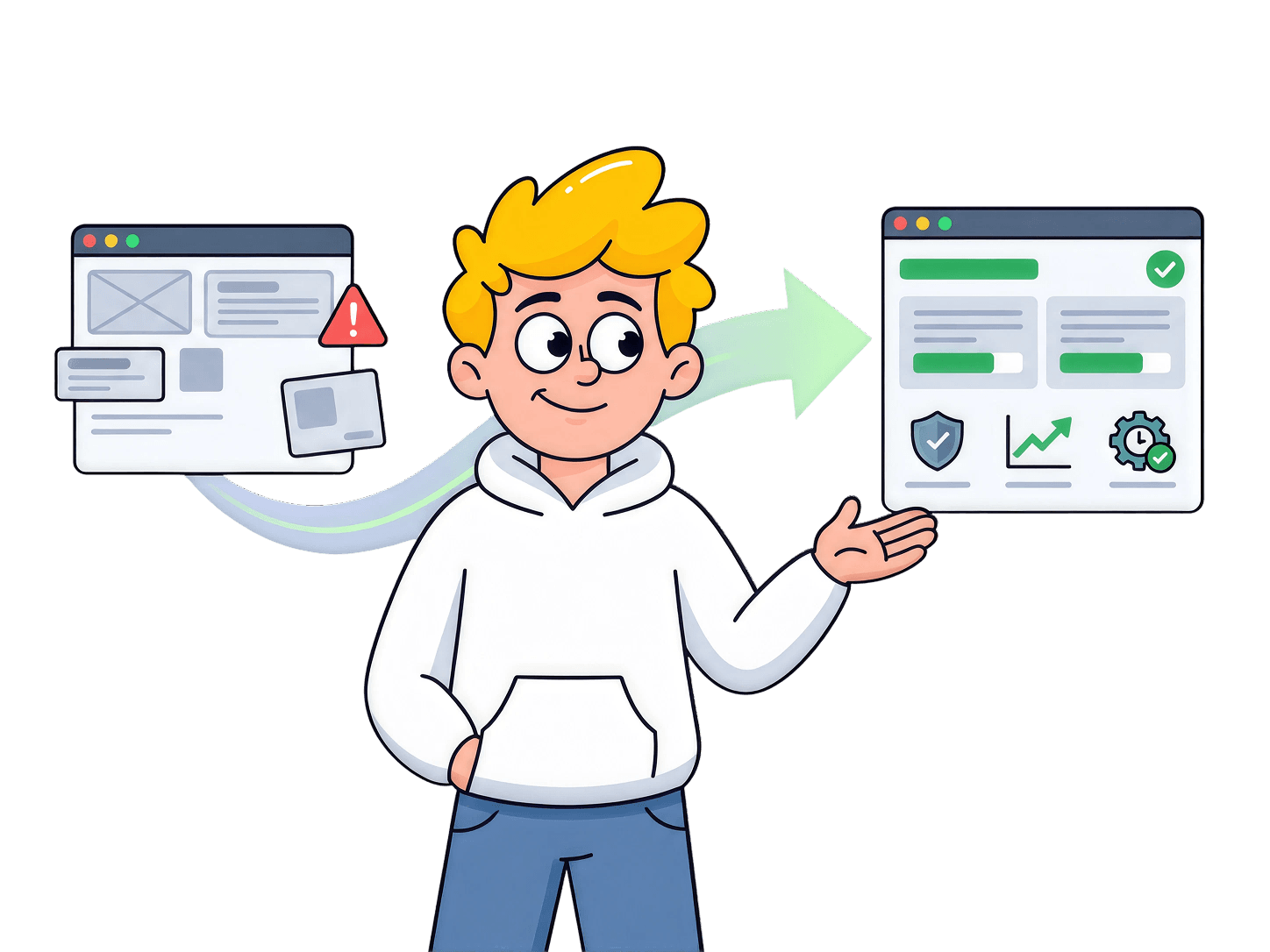

A SaaS product can be live, serving customers, and collecting revenue while every small change still feels dangerous. Rescuing it starts with finding the real source of risk, protecting the journeys customers depend on, and making one controlled change at a time before adding anything new.
The Change Nobody Wanted to Ship
The request looked harmless.
A customer wanted one optional reference field added to the onboarding form. It was not a new workflow, a redesign, or a complicated integration. Just one extra place to enter a piece of information. The team estimated less than an hour.
Two weeks later, the ticket had not moved.
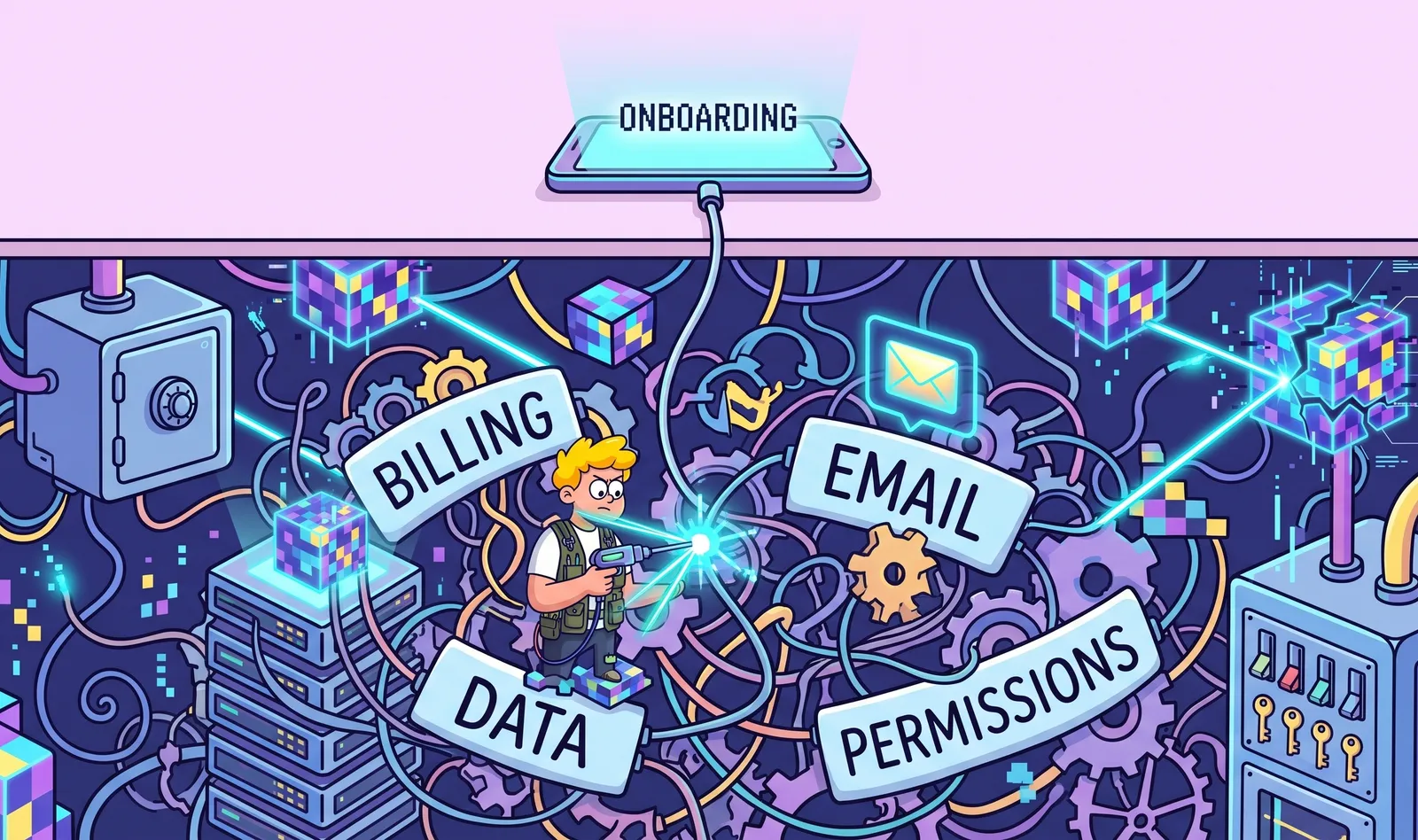
Nobody could say with confidence where onboarding data travelled after submission. Did billing read it? Would the welcome email fail if the value was empty? Did an old automation copy the form elsewhere? The engineer who built the flow had left, and the last small release had broken an unrelated part of the product.
The software was still running. Customers could sign in. Payments still arrived. Support was manageable. But the team's safest product decision had quietly become: leave it alone.
That is when founders often conclude that the product needs a rebuild. Sometimes it does. But starting over before understanding the existing system can replace known problems with a larger set of unknown ones.
A rescue begins differently. It asks what customers already depend on, where failure creates real consequences, and what the team must learn before touching the next line of code.
How a SaaS Product Loses Trust
Product trust rarely disappears in one dramatic incident. It erodes through small moments the team cannot fully explain.
A notification sends twice. A customer sees a state that should be impossible. A deploy needs one specific developer because the process lives in their memory. A payment fails silently. Support reports a problem before monitoring notices it. Each issue may be fixed, but the explanation remains incomplete.
Eventually, the backlog stops feeling like opportunity and starts feeling like risk. Features are delayed, customer requests become 'later,' and estimates grow because every task includes time for discovering hidden consequences.
The codebase may contain strong work, weak work, and decisions that were reasonable when they were made. The deeper problem is not that every part is bad. It is that the team can no longer connect a user action to a predictable system response and business outcome.
SaaS product rescue is therefore not only technical. It connects customer behaviour, product strategy, operations, data, revenue, user experience, and engineering. Cleaner code alone can leave the product just as risky.
Find the Ground Truth Before Choosing the Fix
Before deciding whether to repair or rebuild, create three views of the product. Each view tells a different version of the truth. Together, they reveal what deserves protection and what is only taking up space.
1. The Customer View
Watch active customers use the product. Which job brings them back? Where do they hesitate? What do they export, confirm through email, or ask support to do? Which capability would create immediate pain if it disappeared tomorrow?
This often changes the rescue priority. A polished dashboard may feel central to the team, while customers rely on one plain approval link, one export, or one recurring reminder. Usage and interviews help separate proven value from features the company is emotionally attached to.
Sometimes this investigation reveals that the problem started before development: the customer was never specific enough, the problem was weakly validated, or the product grew before its path to value was clear. We cover those earlier-stage mistakes in Why SaaS products fail before development begins.
2. The Business View
Now trace the events that create revenue, obligations, and customer trust. Subscription changes, refunds, approvals, file retention, access removal, notifications, and compliance-sensitive actions deserve attention because their failure reaches beyond the interface.
If the onboarding form also creates an account, assigns permissions, and starts billing, the optional field sits inside a business-critical journey. The team does not need to fear the text box; it needs to understand the consequences around it.
3. The Technical View
Inspect how the product is actually assembled: applications, databases, third-party services, scheduled jobs, deployment steps, environments, logs, tests, backups, permissions, and ownership. Do not create an architecture diagram to impress anyone. Create a map that shows where a critical action can fail, duplicate, leak, or disappear without being noticed.
The map may reveal two services doing the same job, an old worker still processing events, production access that was never removed, or a critical flow with no useful logs. These discoveries turn fear into specific, testable risks.
Draw a Ring Around the Critical Flows
A product can contain hundreds of screens and thousands of functions, but only a small number of journeys carry the greatest consequences. Rescue those first.
Critical flows often include access and permissions, the job customers pay for, billing events, data storage and export, important notifications, and actions that are difficult to reverse. Ask: if this fails, can it expose data, lose money, block the main job, or damage trust?
Document the expected state around every important step. Test repeated, interrupted, delayed, and unauthorized actions. Prevent duplicate events, confirm recovery paths, and alert the team before customers discover failures.
This work will not produce the most exciting before-and-after screenshot. It produces something more valuable: a boundary inside which the team can make changes with evidence.
Keep, Repair, Replace, or Retire
Once the product is visible, stop treating the codebase as one object that must either survive or be thrown away. Divide the product by customer value and operational risk.
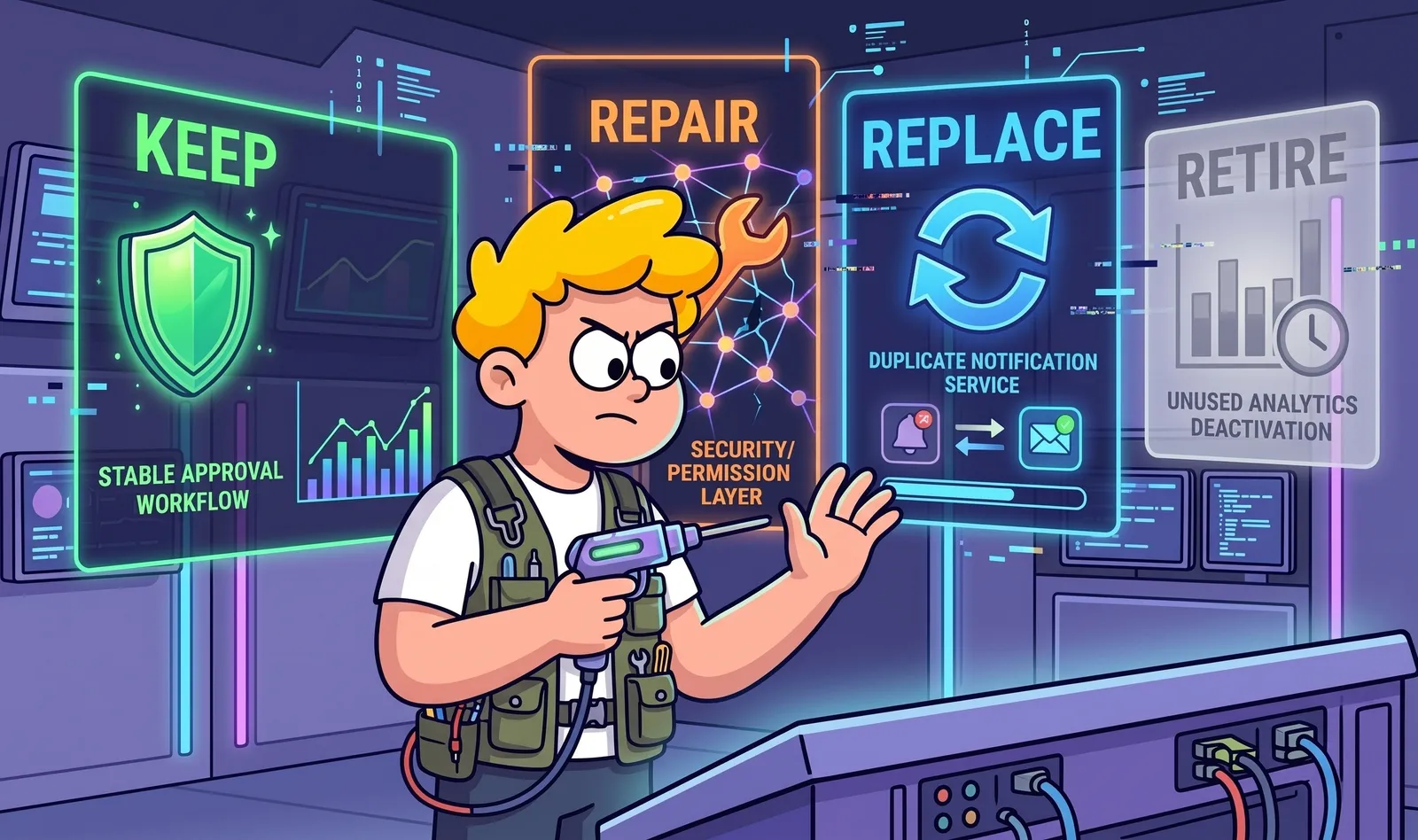
Keep: It creates proven customer value, behaves predictably, and can be maintained safely.
Repair: It is valuable, but a contained weakness makes it unreliable, insecure, or difficult to change.
Replace: Customers need the outcome, but the current implementation is riskier to patch than to rebuild behind the same experience.
Retire: It adds complexity, has little evidence of use, or belongs to an earlier version of the product strategy.
The approval workflow customers use every day may stay exactly as it is. The unsafe permission layer behind it may be repaired. A duplicate notification service may be replaced. An analytics screen that almost nobody opens may be retired. Product rescue is selective by design.
Fix Problems in Risk Order
A rescue backlog should not be sorted by which task is easiest, most visible, or most interesting. Sort it by the damage a failure can cause and how likely that failure is to occur.
A practical order is:
Data, access, and permissions: Prevent exposure, loss, or actions performed by the wrong person. This is also why access control deserves early attention during a rescue. OWASP lists Broken Access Control as a leading web application security risk, including failures that allow users to view or modify data outside their intended permissions.
Payments and irreversible business events: Stop duplicate charges, incorrect states, and silent financial failures.
The core customer journey: Make the job people pay for predictable from beginning to end.
Reliability and visibility: Add useful logs, alerts, backups, and ownership so the team sees problems first.
Usability and explanation: Remove confusing steps and make important states easier to understand.
Growth features and new ideas: Return to experiments when the product can safely support them.
This can feel slow because it creates fewer visible features. In reality, it gives every later improvement a safer place to land. A roadmap built on unexplained risk only postpones the interruption.
A 30-Day SaaS Product Rescue Plan
A focused first month can replace fear with evidence. The goal is not to finish the rescue in 30 days, but to understand the product, control the highest risks, and release safely again.
Days 1-5: Freeze, Observe, and Collect Evidence
Pause non-essential features. Interview active and inactive customers. Read support conversations and incidents. Inventory services, integrations, environments, scheduled jobs, and production access. Put product and engineering risks in one shared list.
Days 6-10: Map the Journeys That Matter
Follow the most important customer actions from trigger to outcome. Record the expected state at each step, the systems involved, the owner, and what the customer sees when something fails. Choose the few flows that deserve immediate protection.
Days 11-20: Stabilize the Highest-Risk Paths
Fix urgent access, data, payment, and reliability risks. Add tests around critical behaviour. Verify backups and recovery. Remove duplicate processing. Add monitoring for failures that previously remained invisible. Document decisions a future engineer would otherwise need to rediscover.
Days 21-30: Release One Controlled Change
Choose a small change in a now-understood area. Define success and failure, make rollback possible, release gradually if needed, observe production, and record what the team learns.
The first successful rescue release should feel almost uneventful. The change works once, permissions remain correct, errors create alerts, and the team can explain what happened. Customers may never notice the technical work. That quietness is the result.
Repair or Rebuild?
A full rebuild can be justified when the current foundation makes safe progress unreasonable: the data model cannot support the real product, access control is fundamentally unsafe, essential systems are unsupported, or every critical change requires dangerous workarounds.
A rewrite should be the conclusion of diagnosis, not the first act of frustration. Rebuilding can remove proven behaviour, delay needed improvements, and recreate old mistakes in newer technology.
For AI-built products that have not launched yet, it is better to catch these risks earlier. Our guide to auditing an AI-built product before launch covers the critical checks to make before real users and customer data enter the system.
Often the better answer is selective replacement. Preserve the customer journey that works, rebuild one risky service behind it, move users gradually, compare outcomes, and retire the old component only when the replacement has earned trust.
This protects the business: revenue continues, customers avoid a forced migration, and the team learns from the product's useful history.
Rebuild Confidence Before Building More
Product trust does not return because a senior engineer says the code looks better. It returns when the team can make a change, observe what happens, and recover when reality differs from the plan.
You can also make that confidence measurable. DORA's software delivery metrics track signals such as change lead time, deployment frequency, failed deployment recovery time, change fail rate, and deployment rework rate. During a rescue, trends in these metrics can help show whether the team is becoming better at shipping and recovering from changes safely.
That requires a small operating system around the product: clear ownership, documented critical flows, automated checks where failure matters, visible production health, repeatable deployments, and a rollback path. None of this needs to become heavyweight process. It only needs to make important behaviour explainable.
On day 27, the team returns to the optional onboarding field.
This time, they know which service receives the form, which fields billing uses, what happens when the value is empty, which permissions protect the account, and which alert will fire if processing fails. The change ships to a small group first. Nothing dramatic happens.
That is the point.
If you no longer trust your SaaS product, the answer is not automatically more features, a new developer, or a complete rebuild. Start by separating symptoms from causes, customer value from technical baggage, and urgent risks from ordinary imperfections.
Frequently Asked Questions
Should I rebuild my SaaS product or repair the existing one?
Do not decide to rebuild until you understand why the current product feels unsafe or difficult to change.
If the product still creates customer value and the highest-risk problems are contained, repairing or selectively replacing parts of the system may be safer than a complete rewrite. A rebuild makes more sense when the underlying architecture, data model, access controls, or critical workflows make safe progress unreasonable.
What is SaaS product rescue?
SaaS product rescue is the process of stabilizing an existing product that has become unreliable, difficult to change, poorly understood, or risky to operate.
It combines customer research, product strategy, user experience, architecture, security, reliability, and operations to determine what should be protected, repaired, replaced, or removed.
How do I identify the highest-risk parts of a SaaS product?
Start with the workflows where failure can expose customer data, lose money, block the product's core job, create irreversible changes, or damage customer trust.
Access and permissions, payments, customer data, core workflows, integrations, background jobs, and important notifications usually deserve attention before cosmetic improvements or new features.
How long does it take to rescue a SaaS product?
There is no universal timeline because the condition and complexity of every product are different.
A focused first month can usually be used to understand the system, identify critical risks, stabilize the highest-risk workflows, and prove that the team can ship one controlled change safely. Larger architectural changes may take longer.
How do I know if a SaaS product rescue is working?
A rescue is working when important workflows become predictable, production failures become visible, deployments are easier to understand and recover from, fewer problems reach customers first, and the team can make small changes without fearing unrelated breakage.
The goal is not simply cleaner code. It is restoring the team's ability to change the product with evidence and control.
A Product Diagnosis creates that picture. At SaaS Loom, we assess the product strategy, customer journey, critical workflows, user experience, technical foundation, and production risks as one connected system. Then we show you what to protect, what to fix first, and whether parts of the product should be kept, repaired, replaced, or retired.